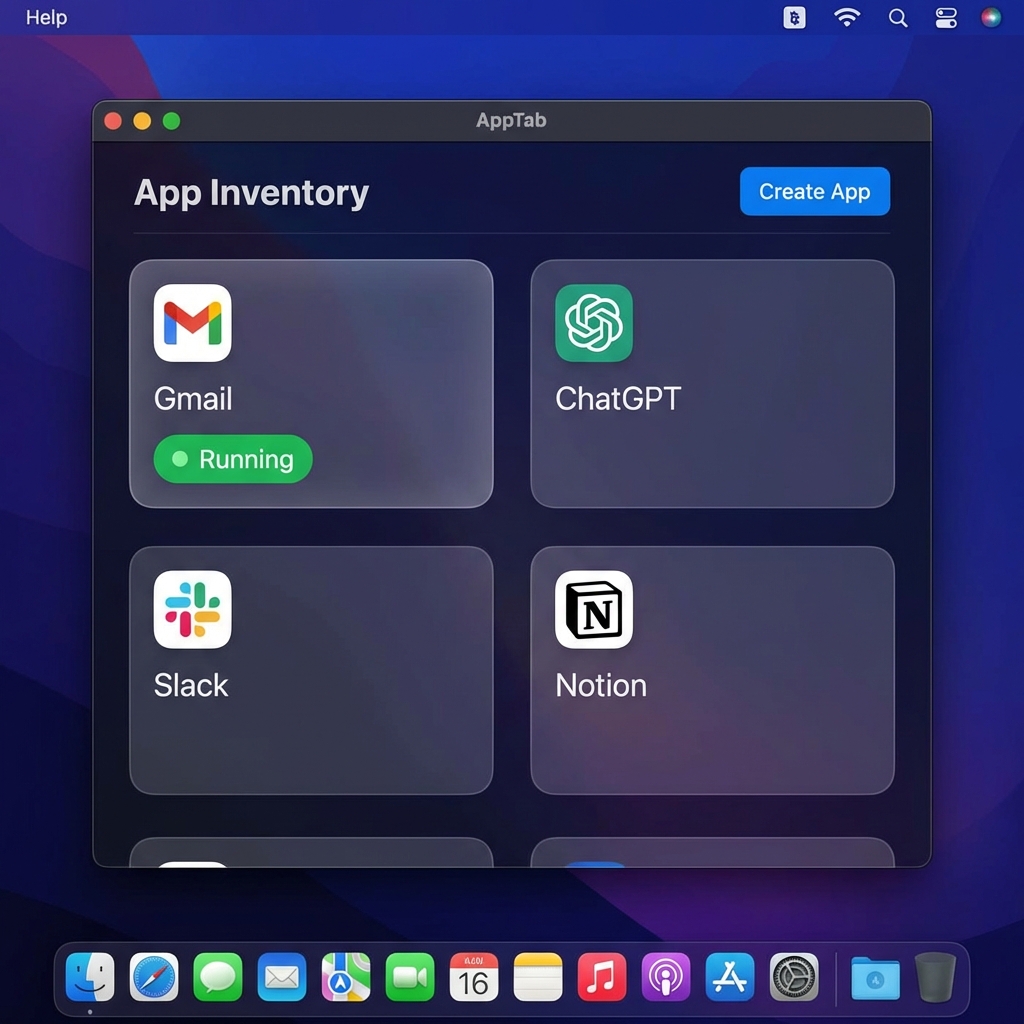
Too many tabs, too many logins. AppTab turns any URL into a standalone macOS app — with its own Dock icon, isolated session, and custom styling. No Electron, just native WebKit.
From browser tab to Dock icon in under 10 seconds.
Enter any web address — a web app, internal tool, or localhost dev server.
AppTab generates a real .app bundle with its own icon, session, and configuration.
Your new app appears in Dock, Spotlight, and Cmd-Tab. It's a first-class macOS citizen.
Native integration, privacy isolation, and developer tools — built in.
Generated apps show up in Dock, Spotlight, Launchpad, and Cmd-Tab. They behave like native apps because they are native bundles.
Each app has its own WebKit session. Run multiple Google, GitHub, or AWS accounts side by side without conflicts.
Access all your apps from the menu bar. Hover for a live preview. Click to bring any app to front instantly.
Inject per-app styles and scripts. Add dark mode to any site, hide distractions, or automate repetitive workflows.
Capture the current viewport or the full scrollable page. Copied straight to your clipboard, ready to paste anywhere.
Strip away clutter with one click. Export clean article text as Markdown for your notes, LLMs, or knowledge base.
Create apps that point to localhost with auto-reconnect and dev-friendly defaults. Perfect for frontend development.
Use AppTab Companion for Chrome to import cookies and browser storage so generated apps can start logged in.
Log in with Chrome, then bring that session into the AppTab app you created.
Use passkeys, Google Sign-In, magic links, or whatever the site already supports in your browser.
AppTab Companion copies the active site's session data only after you grant Chrome site access.
The matching generated app opens its import sheet. You confirm locally, then the app reloads logged in.
From multi-account workflows to frontend dev — AppTab fits in.
Run personal and work inboxes in separate apps with separate sessions. No more juggling browser profiles.
Google Docs, JIRA, Linear, Figma — tools that live in the browser get their own dedicated window and Dock presence.
Point an app at localhost:3000. Dev server mode auto-reconnects on restart. Keep your dev site out of your browser tabs.
Grafana, Retool, admin panels. Pin internal tools as real apps so they're always one Cmd-Tab away.
Side-by-side: what changes when a website becomes an app.
| Capability | Browser Tab | AppTab App |
|---|---|---|
| Dock Icon | Shares browser icon | Own custom icon |
| Cmd-Tab Switching | Switches to browser | Switches to app directly |
| Spotlight Search | Not indexed | Searchable by name |
| Session Isolation | Shared with all tabs | Fully isolated per app |
| Custom CSS / JS | Requires extension | Built in, per app |
| Start at Login | No | Yes, per app |
| Reader Mode | Browser-dependent | Built in + Markdown export |
| Multi-Account | Separate profiles | Just create another app |
| Menu Bar Access | No | Quick-launch with preview |
| First Login Bridge | Already logged in | Chrome Companion import |
Download AppTab and turn your most-used websites into real Mac apps.
Download for Mac